Custom CRM for SMEs · Commercial System
Every inquiry should have a next step.
We build commercial systems that bring together leads from different channels, organize the sales process and turn that information into follow-up actions. A custom CRM designed for everything that happens after an inquiry comes in.
- Custom CRM
- Sales pipeline
- Automated follow-up
When every inquiry lives somewhere different, the business loses context.
- 01
Leads come in through WhatsApp, forms, campaigns or social media, and end up scattered across chats, emails and spreadsheets.
- 02
It's unclear who should reply, what stage each opportunity is at or what the next step is.
- 03
The funnel exists, but nobody can see all of it.
- 04
Follow-up depends on someone remembering to write.
- 05
Sales data is disconnected from the actions it should trigger.
If your team has to ask “what happened with this client?”, the system isn't the source of truth yet.
A CRM shouldn't be one more place to enter data.
It should be where the sales process actually happens. This is how a commercial system works:
Intake
The inquiry arrives.
From the website, WhatsApp, a form or a campaign.
Centralization
It lands in one place.
With its source and the data it brings.
Funnel
It enters a stage.
The one that matches your sales process.
Next step
Someone knows what to do.
Owner, task and date.
Automation
The system does its part.
Alerts, reminders and messages based on rules.
Analysis
You see what works.
How many opportunities there are, where they come from and where they stall.
Everything can start in different places.
It doesn't matter where the inquiry started: the system brings it together and gives it context.
- Forms
- Website
- Campaigns
- Referrals
- Other channels
CRM
Commercial System
Source, data and stage of every inquiry, in one place.
Which channels get connected, and how, depends on each project and the tools you already use.
From an inquiry to an opportunity.
Every company sells differently. We don't impose a universal funnel: stages are defined with your team and the system adapts to your real process.
Example stages · defined with your team
- 01Lead
- 02Qualification
- 03Outreach
- 04Opportunity
- 05Customer
The CRM becomes your sales source of truth.
It isn't just about storing contacts. It's about having everything needed to move the sale forward in one place, for the whole team.
And that information can trigger actions.
Opportunity record · outline
- Lead source
- Contact details
- Available conversations or references
- Stage
- Owner
- History
- Actions taken
- Next step
When something happens, the system can do something.
When
The system can
A new lead comes in
- Assign it
- Notify the owner
- Start the first contact
It changes stage
- Prepare the proposal
- Create a task
- Schedule follow-up
There's no reply
- Send a reminder
- Send a message
- Create a sales task
A proposal is sent
- Schedule follow-up
- Notify the team
- Update the status
A lead qualifies
- Set the next action
- Assign an owner
- Mark the next step
Actions can be emails, messages, tasks, alerts or updates. Which ones make sense, and with which tools, is defined in the diagnostic.
More on automation: Automation & AIIt's not just a CRM.
A CRM
records what happened.
A commercial system
also helps decide what happens next.
- Information
- Process
- Follow-up
- Automation
- Analysis
Standard CRMs handle many processes very well. When yours needs something more specific, we build around the way your company actually sells.
We build it around how your company sells.
Technology is the last decision.
We don't start from a CRM template. We start from:
- 01Your process
- 02Your team
- 03Your lead sources
- 04Your stages
- 05The information that matters
- 06The decisions being made
- 07The automations you need
- 08Technology
From diagnostic to a system in daily use.
01 Diagnostic
We understand how an opportunity comes in and moves forward.
02 Design
We define stages, data, owners and rules.
03 Build
We develop the system in stages.
04 Validation
We test the flow with real cases.
05 Evolution
We adjust the system as the business changes.
Questions before getting started.
What if you already have a CRM?
You don't necessarily need to replace it. First we look at what your team actually uses, what information already exists, what works, what doesn't, which integrations are in place and what's worth keeping. If your CRM solves the problem, there's no point changing it for the sake of it. If a sales layer, an integration or an automation is missing, we can build around what you have when it's technically feasible.
A CRM nobody uses organizes nothing.
The system has to fit your team's real workflow: no unnecessary fields and no entering the same thing twice. The goal is for logging information to be part of the sales process, not a separate chore.
If you sell with Excel, WhatsApp and spreadsheets today, you don't have to throw it all away.
First we understand how you work. Then we define what to keep, what to centralize, what to automate and what to leave out. You don't have to start from scratch.
Your data shouldn't disappear because you change systems.
Before migrating we review existing data, its structure, fields, history, access and integrations, and what's worth moving. Every migration is planned: not all of them can be automated.
What stays under your control.
What matters is defined in writing before we start.
What stays under your control and what we manage is clearly defined in the proposal.
Sales data.
Contacts, opportunities and history belong to your company.
Accounts, access and domains.
Your company's accounts and access, and domains where applicable, stay under your control.
Third-party tools.
Which tools are used, and whose name their accounts are under, is agreed before we start.
Hosting, documentation and deliverables.
Who manages the server, what gets documented and what gets handed over is set out in the proposal.
When the problem is no longer selling, but managing.
The Commercial System is often the starting point. When a company needs to digitize deeper internal processes, we also build custom internal systems.
They're systems shaped around how each company works, not a generic ERP.
- Financial management
- Internal processes
- Operational information
- Internal tools
Commercial system, in short.
Blackout Colors is a digital agency for small and mid-sized businesses based in Buenos Aires. The Commercial System is our custom CRM: a single source of truth for everything that happens after an inquiry comes in.
It brings leads together, organizes them in a funnel shaped around how your company sells, and uses that information to trigger follow-up: alerts, tasks and messages that today depend on someone remembering.
About Blackout ColorsCase study
Puerto Jacarandá: the first stage of the sales journey.
Puerto Jacarandá
Grain exports · Chacabuco, Buenos Aires
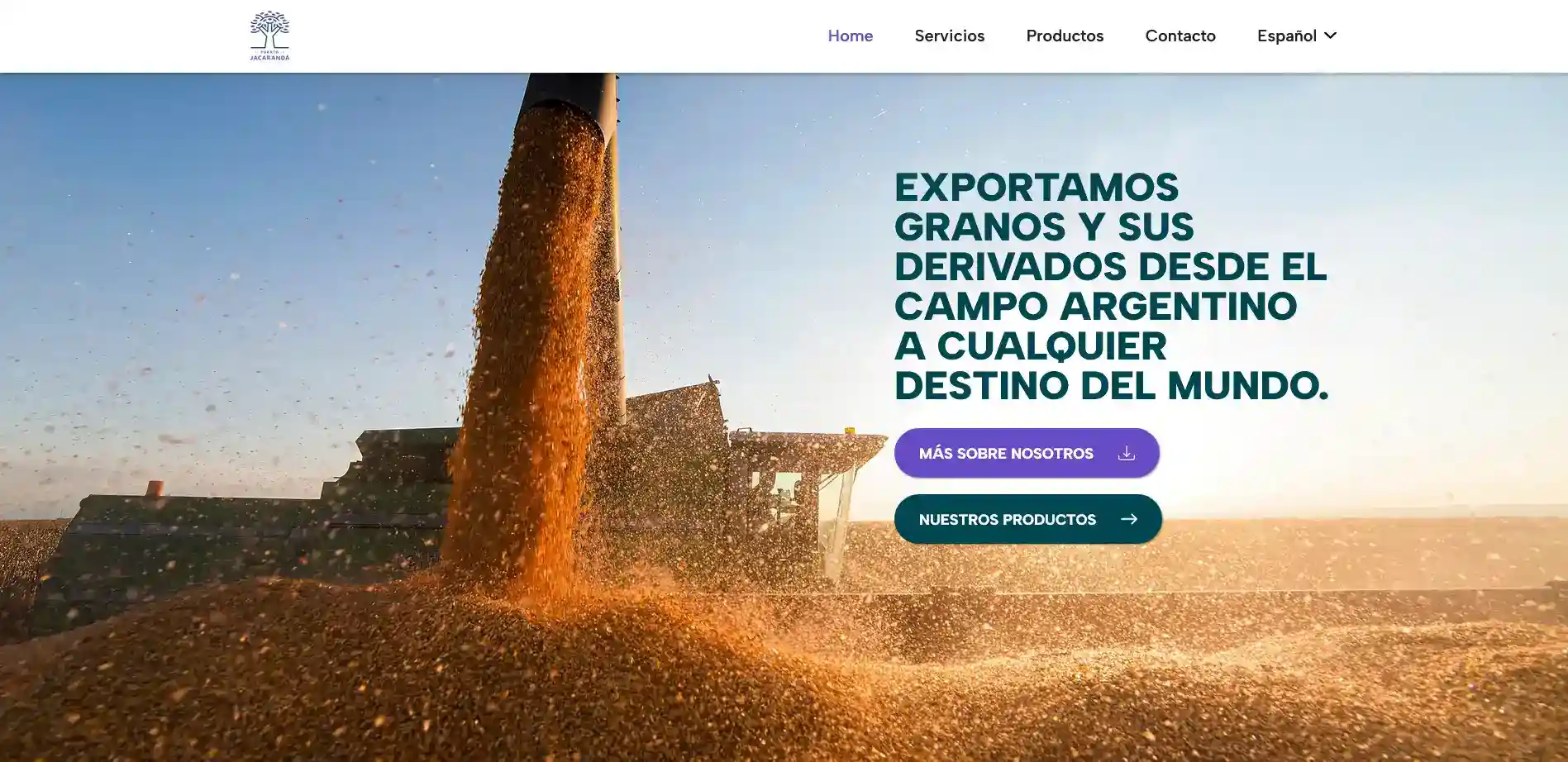
“Today we can sell worldwide in different languages and quickly position ourselves in every sale.”
- Who they are
- An Argentine exporter of grains and by-products selling to buyers in other markets.
- What they needed
- To present their offering to buyers in other countries, in their language, with a clear path to getting in touch.
- What we built
- The multilingual corporate website: production, conditioning, logistics and export, with products and direct contact.
- Why it's here
- A commercial system starts with how the inquiry arrives. This project solves that first stage: visitors understand the offer and know how to move forward.
Frequently asked questions.
What's worth knowing before getting started.
It's a custom CRM plus the process and automations around it: it brings together inquiries from different channels, organizes them in a funnel with owners and next steps, and uses that information to trigger sales follow-up.
It does the job of a CRM (tracking prospects, customers and opportunities), but adds the design of the sales process and the automations around it. A CRM records what happened; a commercial system also helps decide what happens next.
A CRM is a system that centralizes information about prospects and customers and tracks each sales opportunity. For a small or mid-sized business, it means knowing which inquiries came in, where they came from, what stage each one is at and what the next action is.
A standard CRM, such as HubSpot, Pipedrive or Zoho, offers a general structure that the company adapts to its process. A custom CRM is built around the company's process: its stages, its data, its owners and its integrations.
When your sales process has particularities a standard CRM doesn't cover well, when it needs to integrate with your own systems, or when per-user licenses stop making sense. It doesn't always make sense: if a standard CRM solves your case, we'll tell you.
Those that receive inquiries through several channels, have more than one person selling or replying, or need to know how the pipeline looks without asking each salesperson. If you get few inquiries and one person follows them up well, you may not need one yet.
Yes, depending on the project. Your website, forms, WhatsApp, campaigns and other channels can be connected to the system; which ones and how depends on the tools you use and what each one allows.
In most cases, yes. Inquiries that arrive via WhatsApp can be logged with their source and history, and the system can trigger alerts or tasks based on the stage. The scope depends on the WhatsApp account you use and on the project.
Yes. Stages, the information for each stage and the rules for moving forward are defined with your team. We don't impose a universal funnel.
By defining the stages an inquiry goes through until it becomes a customer, what needs to happen to move from one to the next and who owns each one. A common example: lead, qualification, outreach, opportunity and customer.
At a minimum: lead source, contact details, stage, owner, interaction history and next step. Beyond that, whatever your team needs to move the sale forward.
Largely, yes. The system can send reminders, create tasks or alert you when an opportunity stalls. It doesn't remove sales work: it handles the repetitive part so the team can focus on selling.
Emails, messages, tasks, owner alerts, status updates and sending proposals, among others. Which ones are worth automating is defined around your process.
Often, yes. If your CRM works, we can add integrations, automations or a sales layer around it when it's technically feasible. We only suggest replacing it when there's a clear benefit.
It's a common starting point. We review your spreadsheets, define what information to move and how, and the system replaces the part that currently depends on updating the spreadsheet by hand.
First we map where everything is. Then we define what to centralize, what to connect and what to leave out. You don't have to start from scratch.
Yes, after reviewing the data, its structure and its history. Every migration is planned: some can be automated and others require manual work.
It's designed with your team and for its real workflow, without unnecessary fields. Whether the team uses it also depends on the company, which is why we validate it with real cases before it goes live.
Yes. The system is built in stages and can add new stages, data, integrations or automations as the business needs them.
The system evolves with it. Changes are planned and added in stages, without rebuilding what works.
Your sales data (contacts, opportunities and history) belongs to your company, as do its accounts and access. What stays under your control and what we manage is defined in writing in the proposal.
It depends on the project. Who holds the server, who manages it and what access your company has is set out in the proposal before we start.
They're tools built for a company's internal processes, such as financial management, operational processes or internal information, shaped around how it works.
A CRM organizes the commercial relationship: inquiries, opportunities and customers. An internal system organizes operations: finances, processes or internal information. Depending on the project, they can be connected.
No. A website presents the company and receives inquiries; the Commercial System is what happens next: it logs each inquiry with its source, organizes it by stage, assigns an owner and keeps the history. It can connect to your website, but it solves a different problem.
It depends on the number of stages in your sales process, the integrations (website, WhatsApp, email, invoicing) and the automations included. After the free diagnostic we present a proposal with defined scope, timeline and investment before any work begins.
It depends on the scope. An initial implementation is usually completed within three to six weeks; new integrations and automations are added in stages.
Yes. Blackout Colors is based in Buenos Aires and works remotely with companies in Argentina and other countries.

Free diagnostic · 30 minutes
Where are your inquiries getting lost today?
We look at how they come in, who follows them up and where they stall. We tell you whether a standard CRM, a custom one, or simply organizing what you have makes more sense.