Order management system for restaurants: from paper ticket to QR
Blackout Colors
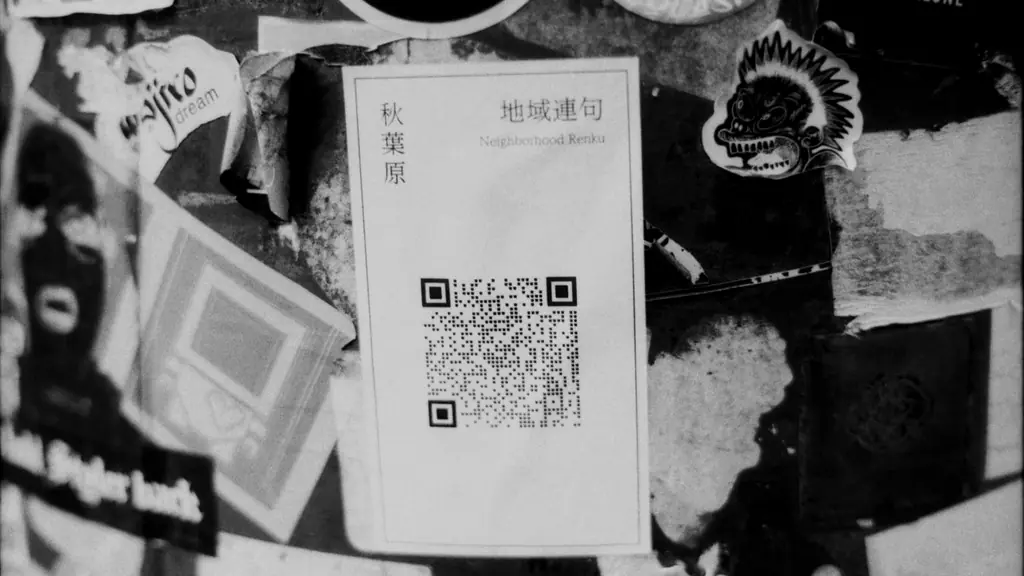
An order management system for restaurants is the software that replaces the paper ticket: it centralizes order taking, sends them to the kitchen in real time, and allows managing tables and payments from a single platform. The transition from paper to QR does not require expensive hardware — today most of these systems run from a phone or tablet, and the change can be made table by table without stopping service while the restaurant adapts.
There are still restaurants where the server writes the order in a notepad, walks to the kitchen, and shouts it out or hangs it on a hook for the cook to read through the noise of the grill. That method works until the location has more than four tables occupied at the same time — that is when lost orders start, dishes arrive cold, and customers complain about errors nobody can trace. An order management system for restaurants attacks exactly that problem: it replaces paper with a screen or QR code that sends the order directly to the kitchen, without intermediaries or misunderstandings. It is not a decision exclusive to large chains — it is increasingly the first modernization a family restaurant makes before thinking about delivery or marketing. This article explains what actually changes in day-to-day operations when that switch is made, and what a restaurant needs to take the step without stopping service for even a single shift.
What is the system that replaces the paper ticket called?
The name varies depending on who uses it, but it always refers to the same function. At the counter it is usually called a "digital order system"; in software terminology, "order management system" or POS (Point of Sale). A POS system for restaurants is the hardware and software that helps manage all aspects of the business, including order taking, payment processing, menu management, inventory tracking, and team coordination. Restaurant management systems describe the tool as one that allows servers to take orders from a mobile device and send them automatically to the kitchen, without anyone having to walk the paper order from one end of the restaurant to the other. Beyond the name, the core function is always the same: get the order out of the server's head (or notepad) and into a digital channel that the kitchen can see in real time. That is what separates an order management system from a simple cash register — the register charges; the order management system coordinates the entire operation between the dining room and the kitchen.
What changes in day-to-day operations when switching from paper to QR
The most immediate change is not technological — it is operational. With a paper ticket, the order goes through at least three manual steps: the server writes it, walks to the kitchen, and someone in the kitchen interprets it (handwriting, abbreviations, and grease-stained paper included). Each of those steps is a point where information can be lost or delay can be added. With a QR ordering system, the customer or server enters the order directly from a tablet or phone, and that order appears instantly on a screen or printer in the kitchen — no intermediate transcription. This has a direct effect on two numbers every restaurant owner watches closely: table turn time and order error rate. Fewer manual steps means fewer incorrectly taken orders (the classic "this isn't what I ordered") and less time between when the customer places the order and when the dish leaves the kitchen. In high-turnover locations — where turning each table faster is directly more revenue — that difference shows up in the end-of-month closing, not just in the customer experience. QR codes also solve a specific problem: the server stops being a bottleneck. If the system allows customers to scan a code at the table and order directly, taking the order no longer depends on staff being available to approach — particularly useful during peak hours, when the majority of paper ticket errors concentrate.
What a restaurant needs to make the transition without disrupting service
The most common concern when evaluating this change is not the cost — it is the fear that the transition will create chaos precisely when the restaurant needs to function without friction. The good news is that most of these systems do not require a complete cutover from the previous method: they can be rolled out table by table, shift by shift, while the rest of the dining room continues operating as usual. In practice, the minimum needed is: one device per server or one printed QR code per table, stable internet connectivity in the dining room, and a printer or screen in the kitchen to receive digital orders. There is no need to replace the cash register or renew all the location's hardware on the same day — many restaurants start by digitizing two or three tables to validate that the flow works before scaling it to the full dining room. The other point that sometimes delays the decision is staff training. The learning curve is shorter than it appears: for the server, the change is going from writing in a notepad to tapping a screen with the same order — the work logic does not change, only the tool. For the customer ordering by QR, the interaction is the same as already scanning a digital menu, without the restaurant having to explain anything.
Common mistakes when digitalizing order taking
The most frequent mistake is thinking that digitalizing order taking is the same as digitalizing the entire business all at once — adding QR ordering, direct delivery, loyalty programs, and electronic invoicing in the same week. That overload is the reason many implementations fail: the team does not have time to adapt to one change before the next one arrives. Another common misunderstanding is assuming that an order management system automatically solves kitchen problems. The tool organizes and communicates the order more quickly, but if the real bottleneck is in dish preparation, no QR code will speed that up — the system makes the problem visible but does not eliminate it on its own. It is also a mistake to assume all customers will adopt QR immediately. In practice, traditional ordering with the server and QR ordering coexist for a period of time, and that is fine: the transition does not need to be total from day one to generate value. The initial goal is to reduce errors and times in the portion of the dining room that has already migrated — not to force 100% adoption in the first week. If beyond the dining room you want to add a proprietary online ordering channel for your delivery, at the Blackout Colors online ordering team we integrate it with the same flow without forcing you to migrate everything at once.
Want to apply this in your business?
Tell us about your case and we’ll tell you what we would do. If we don’t see a clear opportunity, we’ll tell you that too.
Related articles
Frequently asked questions
Straight answers about order management system for restaurants.
There is no single name: in the food service sector it is known as an order management system, digital order system, or POS (Point of Sale) for restaurants. All refer to the same type of tool: software that replaces the paper ticket and sends the order directly from the dining room to the kitchen. The name each vendor uses does not change the core function of the product.
It depends on the size and type of operation, but most use some combination of a POS system for the dining room and a QR or online ordering channel for tables or direct delivery. A POS system for restaurants is the hardware and software that helps manage order taking, payment processing, menu management, and team coordination from a single platform.
ERP (Enterprise Resource Planning) is integrated management software that in a restaurant connects purchasing, inventory, recipe costs, and accounting in the same system. It is a broader concept than an order management system: the order system handles taking and routing the order to the kitchen, while a restaurant ERP targets complete business management including ingredient inventory and per-dish costing. Most independent restaurants start with an order management system and only later, if volume justifies it, add a full ERP.
An order management system is a software application that automates the entire order handling process — allowing inventory, sales, and customer data to be managed from a single place, accessible at any time. Applied to a restaurant, this translates into replacing the paper ticket with a digital flow that connects order taking in the dining room with kitchen preparation and, in many cases, with payment collection and customer tracking.

30 minutes. No commitment.
Schedule your free diagnostic.
We'll pinpoint exactly where your business is losing time, capacity, and operating margin, even if we never work together.
Schedule a free diagnostic